[Docusaurus] How to enable showLastUpdate feature when deployed via Gitlab CI
![[Docusaurus] How to enable showLastUpdate feature when deployed via Gitlab CI](https://cdn.hashnode.com/res/hashnode/image/upload/v1667638183594/D40u-fAkz.png)
Context
I had trouble getting showLastUpdateAuthor and showLastUpdateTime to display in production build when deploying through Gitlab CI.
Before I show you how to fix it, let's see what this feature is about
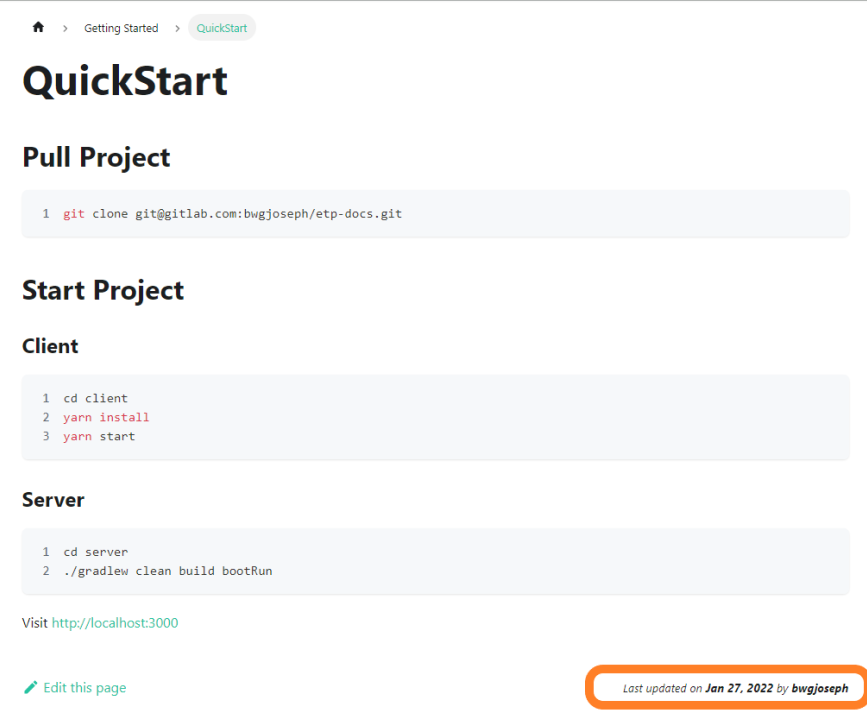
As shown in the image (circled) above, at the bottom of each page, it will reflect when was the document last updated and by whom. While this feature is not absolutely necessary, it is useful to know this piece of information.
Setup
The setup is pretty straight-forward if you are using the defaults for the most part. You can look at the detailed instruction stated on the website.
Here's the TLDR version, in your docusaurus.config.js, navigate to presets config and configure like such
presets: [
    [
      '@docusaurus/preset-classic',
      {
        docs: {
          sidebarPath: 'sidebars.js',
          editUrl: 'https://gitlab.com/bwgjoseph/etp-docs/-/edit/main/',
          showLastUpdateAuthor: true,
          showLastUpdateTime: true
        }
      }
    ]
  ],
That's actually all you have to do to get it working, but note that this does not (really) work in development mode. In development mode, it will be simulated.
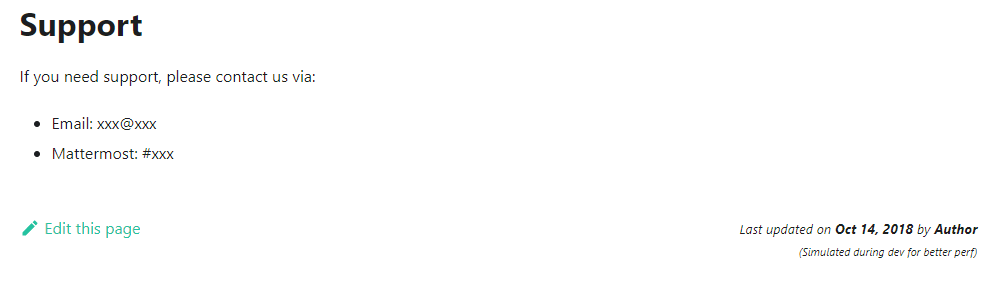
If you wish to see the actual value, you have to build, and serve the content out locally.
yarn build
yarn serve
Problem
What happened?
I'm deploying my docs using Gitlab Pages via Gitlab CI, and it wouldn't display the user and timestamp in the production build. There was no obvious error (the entire pipeline actually pass), until I look closer to my Gitlab CI logs which show this
$ yarn build
yarn run v1.22.18
$ docusaurus build
[INFO] [en] Creating an optimized production build...
[WARNING] Sorry, the docs plugin last update options require Git.
Browserslist: caniuse-lite is outdated. Please run:
  npx browserslist@latest --update-db
  Why you should do it regularly: https://github.com/browserslist/browserslist#browsers-data-updating
[info] [webpackbar] Compiling Client
[info] [webpackbar] Compiling Server
[success] [webpackbar] Client: Compiled successfully in 57.72s
[success] [webpackbar] Server: Compiled successfully in 1.03m
[SUCCESS] Generated static files in "build".
[INFO] Use `npm run serve` command to test your build locally.
Done in 97.92s.
There was a warning message at Line 5, indicating Sorry, the docs plugin last update options require Git which I don't quite understand at first. Some thoughts that ran through my mind were, "Why wouldn't there be Git? If there isn't, then how did the pipeline clone the repository?"
Understanding the cause
To explain this, let's zoom into the pipeline stage that is responsible to build the artifact.
build:
  stage: build
  image: node:16.15.0-alpine
  script:
    - yarn install
    - yarn build
So in the build stage, the command yarn build will use git to generate the lastUpdate information. However, the image that I used is node:16.15.0-alpine which does not come with git installed.
Resolution
15/2/2023 Update: Alternatively, switch to use non-alpine node image and it will work without manually installing git. If image size is a concern, then using the solution below might be better for you
Hence, to resolve it, all I had to do was to install git via the before_script
build:
  stage: build
  image: node:16.15.0-alpine
  before_script:
    - apk update && apk --no-cache add git
    - git --version
  script:
    - yarn install
    - yarn build
Once I fixed this, and ran the pipeline again, we can see the following in the logs
$ apk update && apk --no-cache add git
fetch https://dl-cdn.alpinelinux.org/alpine/v3.15/main/x86_64/APKINDEX.tar.gz
fetch https://dl-cdn.alpinelinux.org/alpine/v3.15/community/x86_64/APKINDEX.tar.gz
// omitted
(7/7) Installing git (2.34.5-r0)
Executing busybox-1.34.1-r5.trigger
Executing ca-certificates-20220614-r0.trigger
OK: 21 MiB in 23 packages
$ git --version
git version 2.34.5
And viola! The production build will now display the last updated timestamp and author information.
Conclusion
While the setup is straight-forward, to get it working in production which is deployed via Gitlab CI, you need some working knowledge of how the pipeline is configured and run.
Hope this helps someone else that face this issue when deploying via Gitlab CI as I was not able to find any information.
You will probably not face this issue if you deploy this manually.
About the author
Advocate for better developer's productivity and experience
Documenting my learnings and sharing it
Comments
Join the discussionNo comments yet. Be the first to comment.